Screenshots use sample data.
Keep anonymized client profiles, add what-if scenarios, compare strategies side by side and hand over a branded report. Free.
Built for the way advisors work: you do the data entry, your clients get the answers.
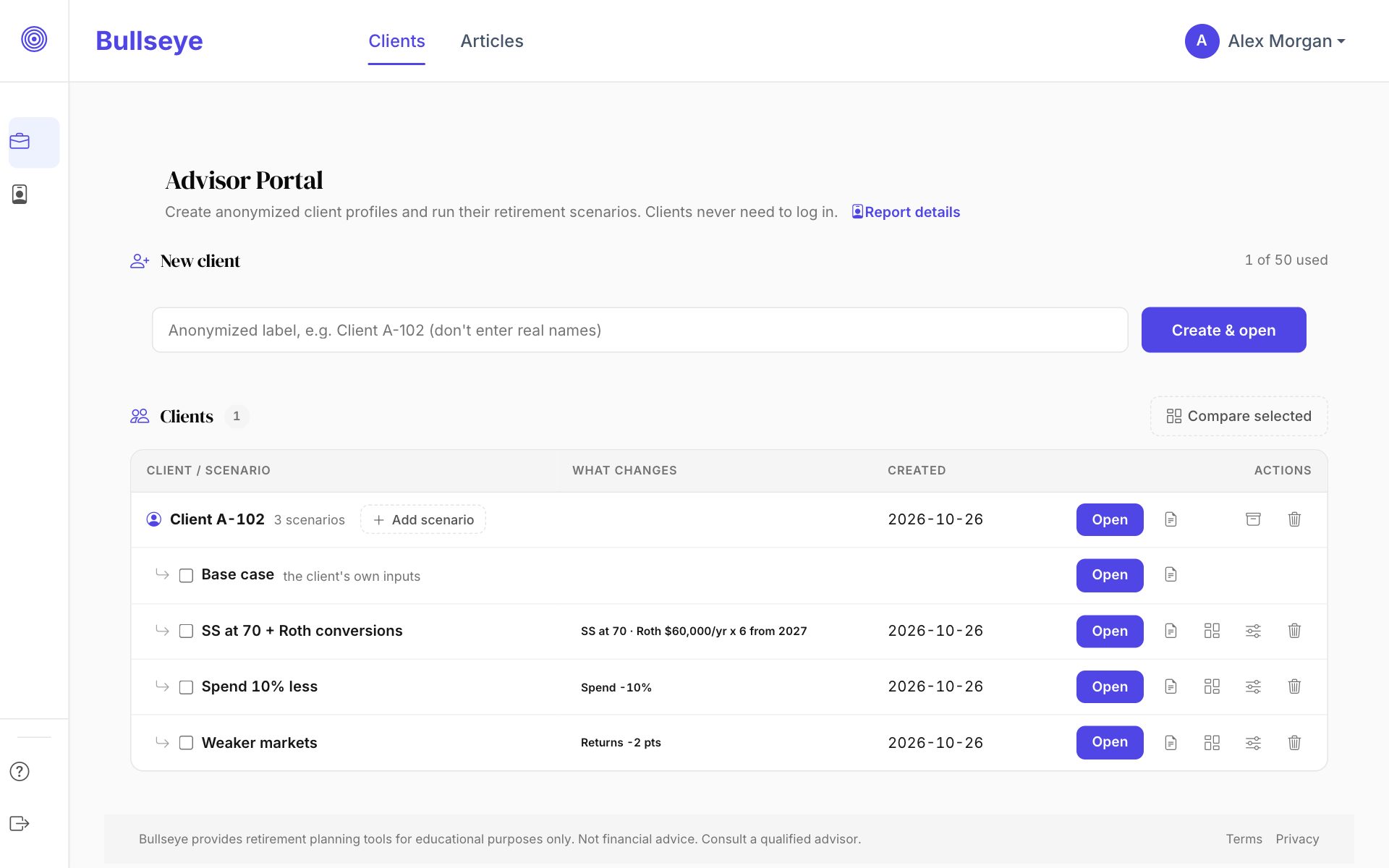
Add a client with just a label like "Client A-102". No names, emails or SSNs are needed, and your clients never create an account.
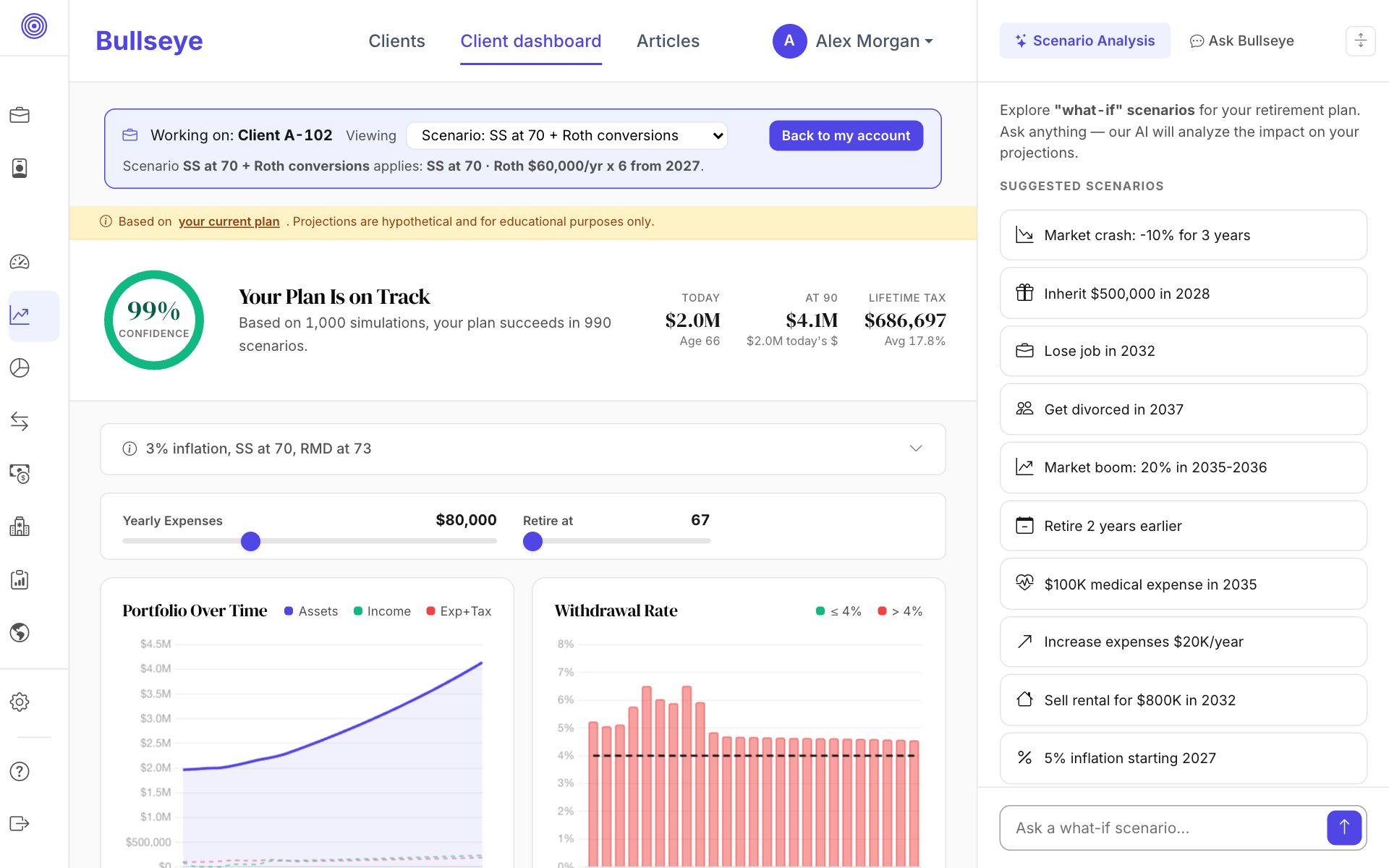
Open any client, single or a couple, and every Bullseye tool works on that household: projections, Roth conversions, Social Security, healthcare and IRMAA, Monte Carlo and Retire Abroad.
Add scenarios to a client and change only what differs: retirement year, Social Security claim age, spending, a one-time sale or purchase, market returns, a Roth conversion schedule, or the order accounts are drawn down. Update the client's numbers once and every scenario follows.
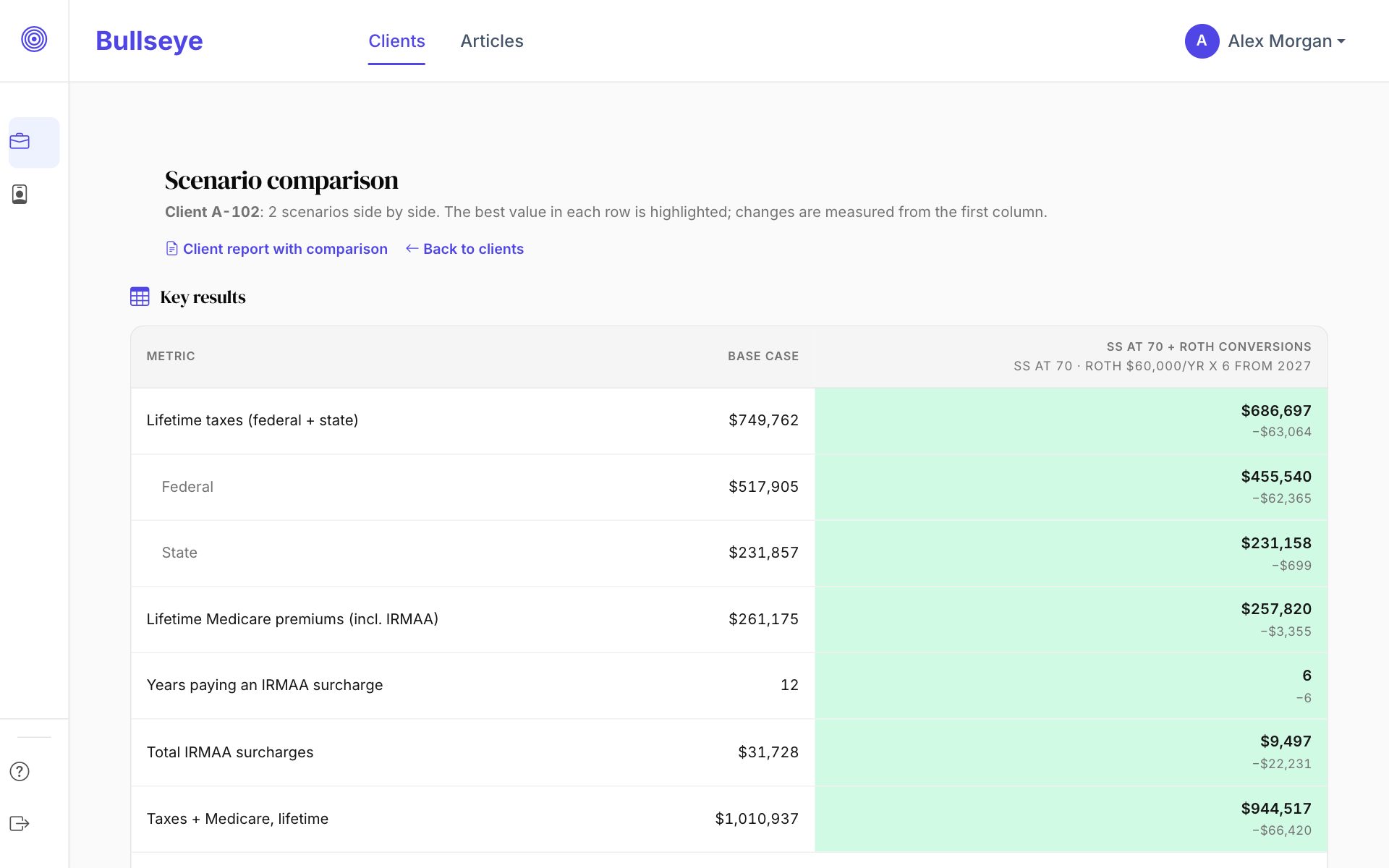
Pick the base case and up to two scenarios and compare lifetime taxes, Medicare premiums and IRMAA years, ending assets and how much pre-tax money is still taxable, with an assets chart and a year-by-year breakdown.
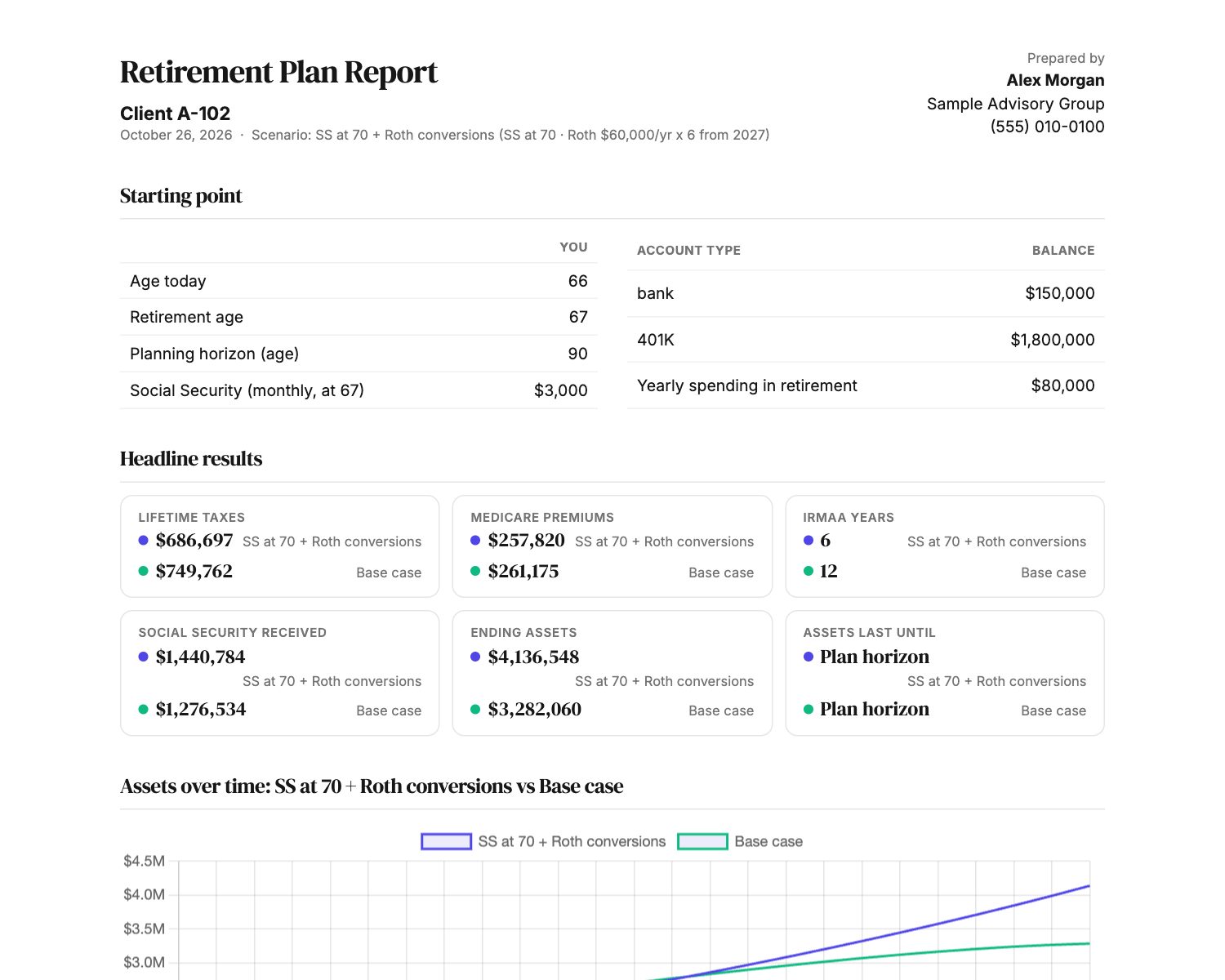
Add your name, firm, phone and logo. Print or save a PDF of the base case, any scenario, or a comparison with every scenario in the headline results, the chart and the year-by-year tables, plus your own disclaimer.
Each client household is encrypted with its own key, other advisors can never open your clients, and the admin tools show only activity counts, not client labels or figures.
Compare "claim at 67, no conversions" with "claim at 70 and convert to Roth" on lifetime taxes, IRMAA surcharges and what is left at the end.
| Metric | Base case | SS at 70 + Roth conversions |
|---|---|---|
| Lifetime taxes | $749,762 | $686,697 |
| Years paying an IRMAA surcharge | 12 | 6 |
| Social Security received | $1,276,534 | $1,440,784 |
| Ending assets | $3,282,060 | $4,136,548 |
| Pre-tax balance still taxable | $2,379,302 | $1,686,066 |
Tell us about your practice and verify your email. It takes about two minutes and it is free.
Enter their numbers once: ages, accounts, income and expenses. Then add scenarios whenever you want to test a change. They build on those numbers, so you never re-enter anything.
Put the scenarios side by side, then print a report with your name on it.
Yes. There is no charge to create an advisor account or to use the portal. Accounts can hold up to 50 clients with up to 25 scenarios each; contact us if you need more.
No. Clients are profiles that only you can open. They never log in and never receive an email from Bullseye.
We recommend labels such as "Client A-102" so no personal information is stored. Whatever you enter is your responsibility, and your confidentiality obligations to your clients still apply.
Each client household is encrypted with its own key, and other advisors cannot see your clients. The admin tools show only counts of what advisors do, such as how many clients and reports, not client labels or figures. Encryption keys are managed by the Bullseye service, so this protects stored data rather than hiding it from the service itself.
Every scenario for that client picks up the change immediately. A scenario stores only what differs from the client, such as a later retirement year or a different Social Security claim age, so you never re-enter a household.
Yes. A client can include a spouse, and you can set a separate retirement year and Social Security claim age for each person in a scenario.
They are planning illustrations that use simplified federal and state tax rules and Medicare/IRMAA tables. Use them to compare strategies and start conversations, not as a substitute for your own tax preparation or advice.
Not yet. For now you share results with a printed or PDF report.
The advisor portal is new. Features and screens may change as we learn from advisors, and you may run into rough edges. Your feedback shapes what we build next, and there is a Send feedback link in the portal.
No. Credentials are self-reported at signup, and your reports show only what you enter yourself.
Create a free advisor account and run your first comparison today.
Create a free advisor account